Built demo end to end
KaizenFlow AI pays for itself on the factory floor
The Story
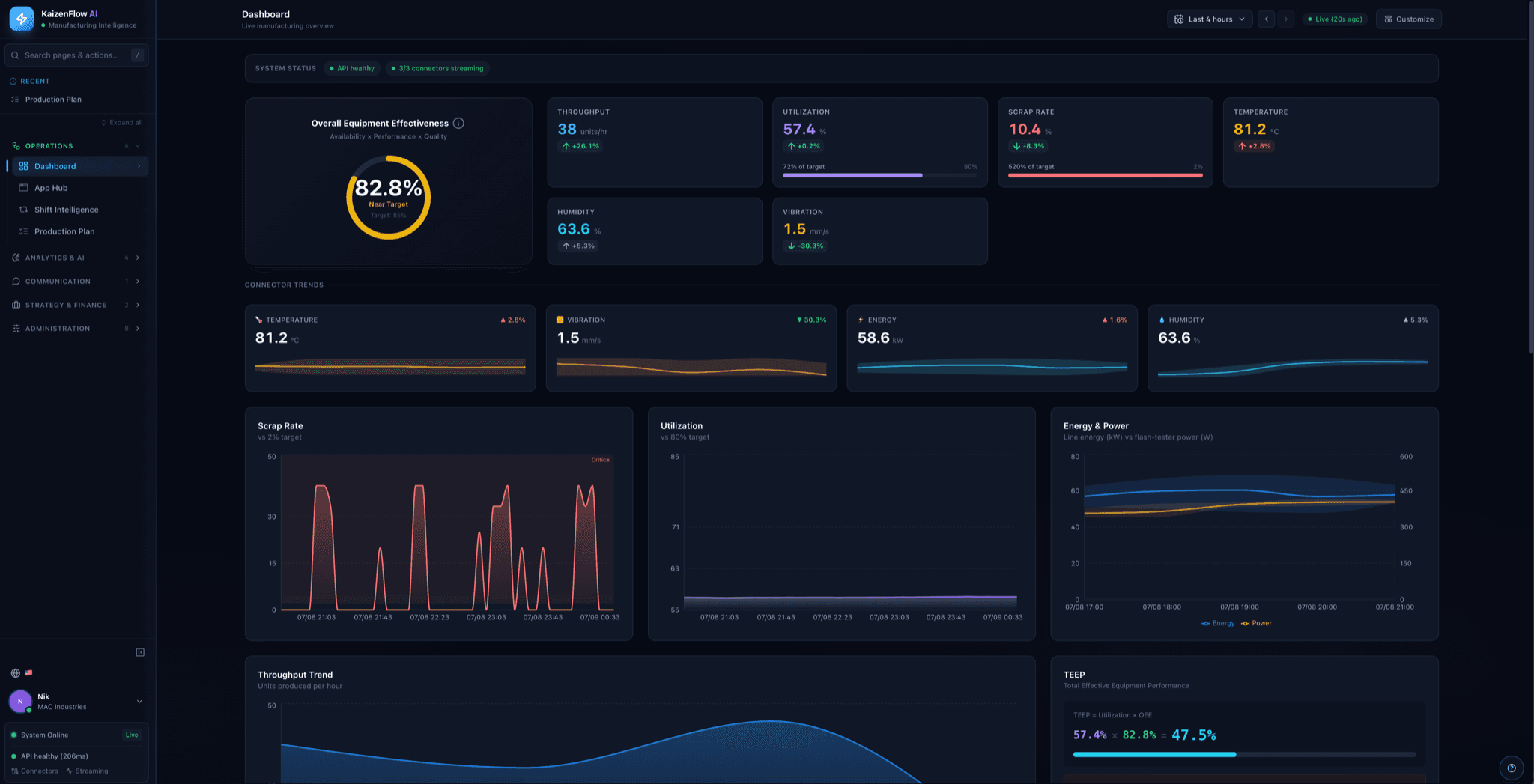
KaizenFlow AI watches a factory the way a tireless plant manager would, except it never blinks. It plugs into the systems a plant already runs on, reads production as it happens, and goes looking for the money leaking out of the line.
When it finds a bottleneck or a quality problem it doesn't just flag it. It writes a clear improvement suggestion, shows the evidence behind it, estimates the dollar impact, and then — crucially — tracks whether the fix actually worked, feeding that verdict back into its next round of advice.
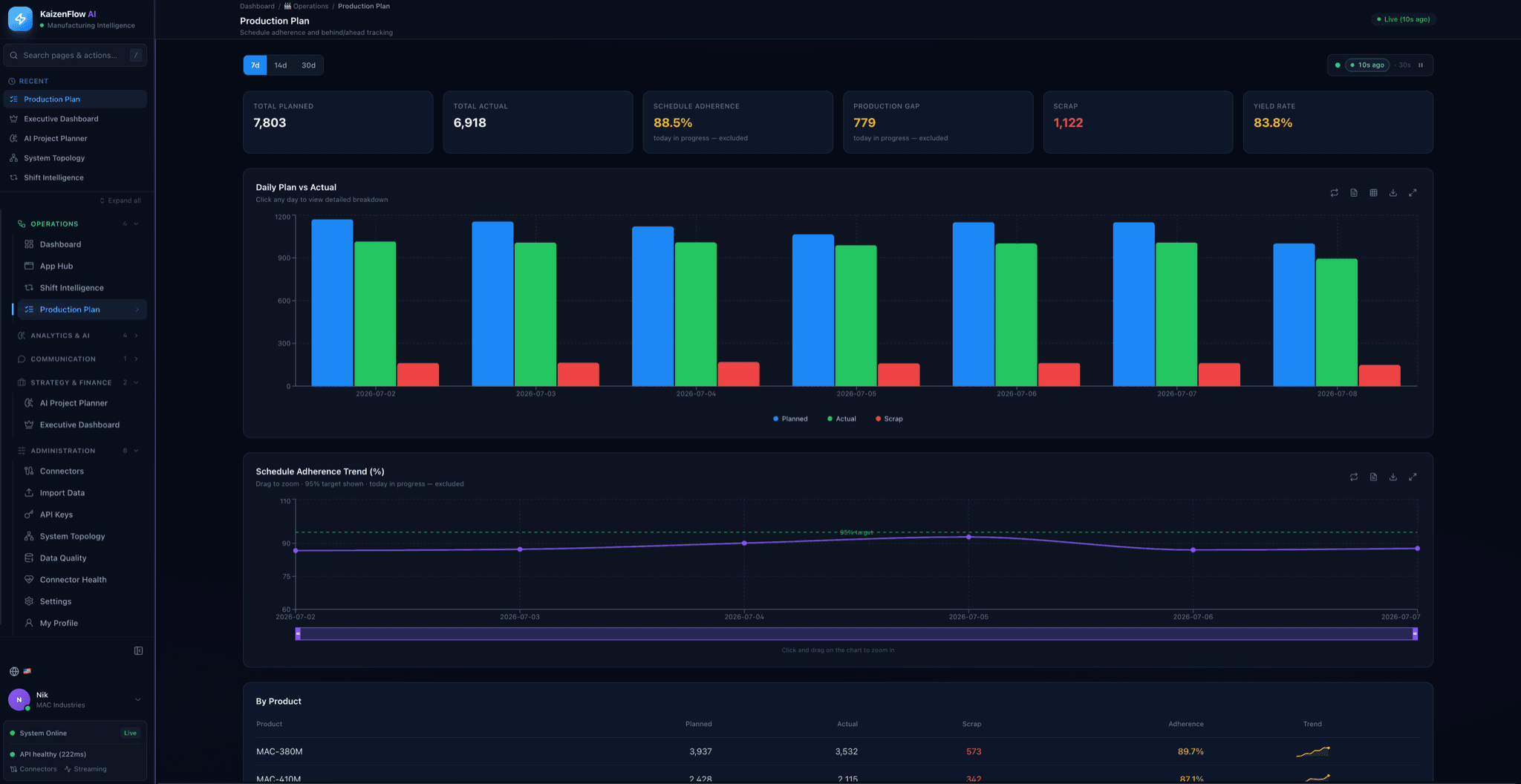
The demo runs on real data, not mock-ups. An AL extension seeds a live Microsoft Business Central ERP, an MQTT broker streams factory telemetry, and every number on the dashboard traces back to a real record moving through the pipeline within minutes.
Designed and built solo in about four months: a FastAPI backend with 100+ endpoints, a Next.js app of 160+ screens, 50+ enterprise integrations, and 78+ analysis engines behind a LangGraph reasoning agent.
By the Numbers
Behind the Build
The demo had to run on real ERP data, not sample CSVs. Business Central runs on a separate Windows host, speaks a niche AL extension language, and exposes OData that doesn't map cleanly to manufacturing KPIs.
Instead of faking it I went end to end: an AL extension seeds real master data, custom OData pages expose it, a Python connector translates it into KaizenFlow metrics, and an in-BC job queue posts realistic production every 15 minutes. When the connector silently died on a VM restart, I built auto-recovery that detects the dead path and restores it — no missed demo.
Highlights
The Stack
AI — LangGraph · reasoning agent · 78+ analysis engines · RCA · SPC · OEE · closed-loop feedback
Backend — Python · FastAPI · 106 REST endpoints · TimescaleDB · PostgreSQL · Kafka
Frontend — Next.js · React · TypeScript · 160+ screens
Factory — Microsoft Business Central ERP · AL extensions · OData · MQTT · IoT telemetry · Python connector
Infra — zero-downtime CI/CD · TLS · auto-recovery watchdog · 50+ enterprise integrations